Along with the Android 4.2 SDK, we also launched a brand new update of the Android SDK Tools (Revision 21). The update includes new tools and capabilities that can help you work more efficiently as you create applications. Tools such as a new multi-config editor, and new Lint rules will help you develop apps more quickly, while a new UI test framework will give you more ways automate testing and QA for your apps. For new developers, one-click SDK download and new app templates help you get started more quickly.
Multi-config editor
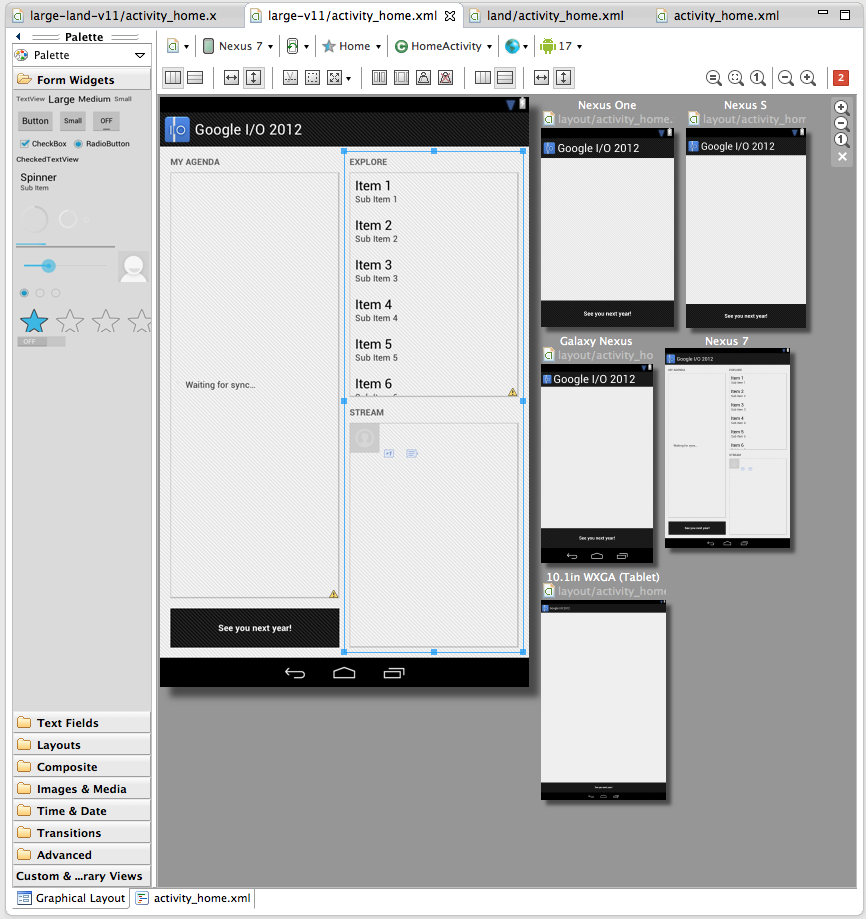
A new multi-configuration editor allows you to develop and prototype your UI across various orientations, screen sizes and locales. For example, while editing your layout in portrait mode, you can see if your edits aren't visible in the shorter landscape orientation. You can see previews for other screen sizes from small phones to large tablets, you can see previews for the layout using all the available language translations in your app, and so on. You can even see how the layout appears when it is included as a fragment in a different larger layout. Finally, Android allows you to create specialized layouts for any of these configurations, and the multi configuration editor shows you these overridden layouts.Here is a screenshot of the layout editor showing one of the layouts from the Google I/O application, across a variety of screen sizes.
More app templates
Tools R21 brings three new app templates to help you to easily add new screens to your app. There’s a new full-screen activity for use as a photo or video viewer, a settings activity to handle basic user preferences and a login activity to capture username/password.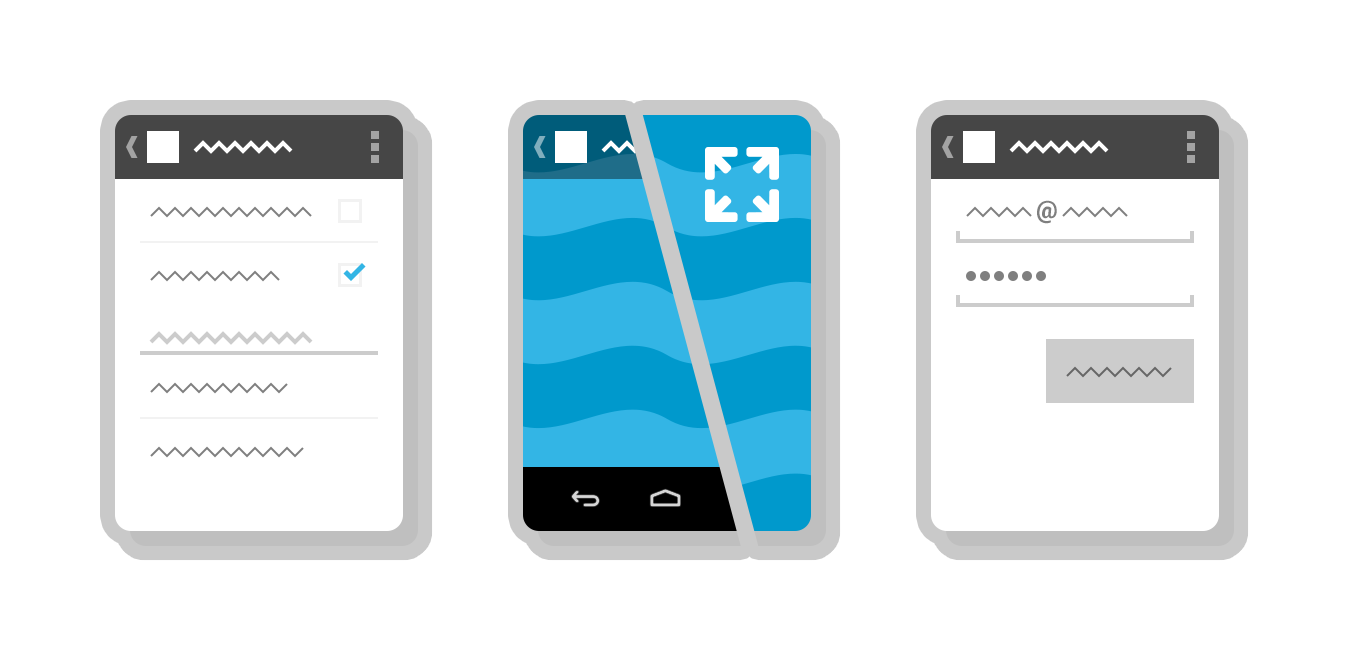
UI Automator Test Framework
One common approach to UI testing is to run tests manually and verify that the app is behaving as expected. UI Automator is a new software testing framework available in Tools R21 that provides you with tools to easily automate UI testing tasks. It provides a GUI tool to scan and analyze the UI components of an Android application (uiautomatorviewer), a library containing APIs to create customized functional UI tests, and an execution engine to automate and run the tests against multiple physical devices. UI Automator runs on Android 4.1 (API level 16) or higher. To learn more head over to the UI Testing documentation.One-click SDK installer
New Android SDK developers now have a convenient way to download all the various SDK components like Tools, Platform Tools, Eclipse ADT, and the latest system image with a single click. Existing developers can continue to manage their SDK components and get updates through the SDK Manager.Revamped AVD creation dialog
The new dialog makes it easier to create Android Virtual Devices (AVDs) matching real device profiles. The AVDs will also appear in the layout editor to show you how the layouts will look.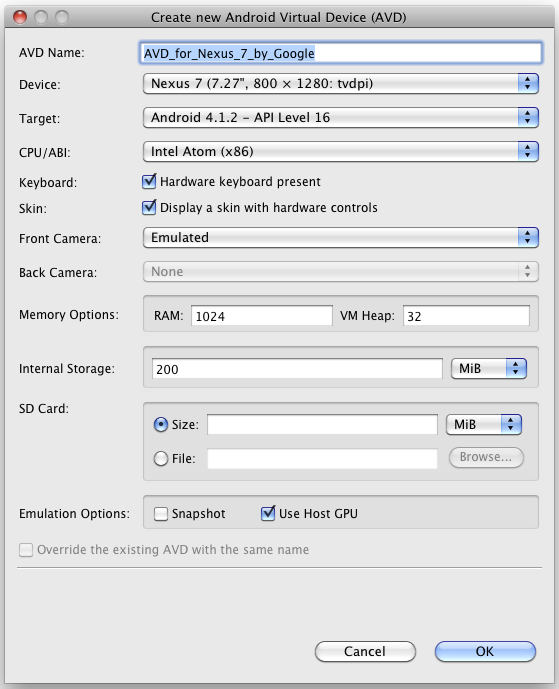
More Lint rules
And to wrap things up there are 25 new lint rules which catch several common sources of bugs, for example deviations from Android design guide for icons, checks for mismanaged wakelocks, common sources of locale-related bugs and so on. So make sure you upgrade and let Lint loose on your projects before your next app update!A minor bug-fix to the Android NDK is also available. For a complete list of what’s new, see the release notes for SDK Tools R21, ADT 21.0.0 and Android NDK R8c.